This guide explains how HR teams evaluate Plansource and BambooHR to improve benefits administration, onboarding, and reporting. It then reviews the practical background of HR platforms—how data moves from recruiting to performance, and how benefits workflows affect compliance and employee experience—so decision-makers can compare capabilities and requirements objectively.
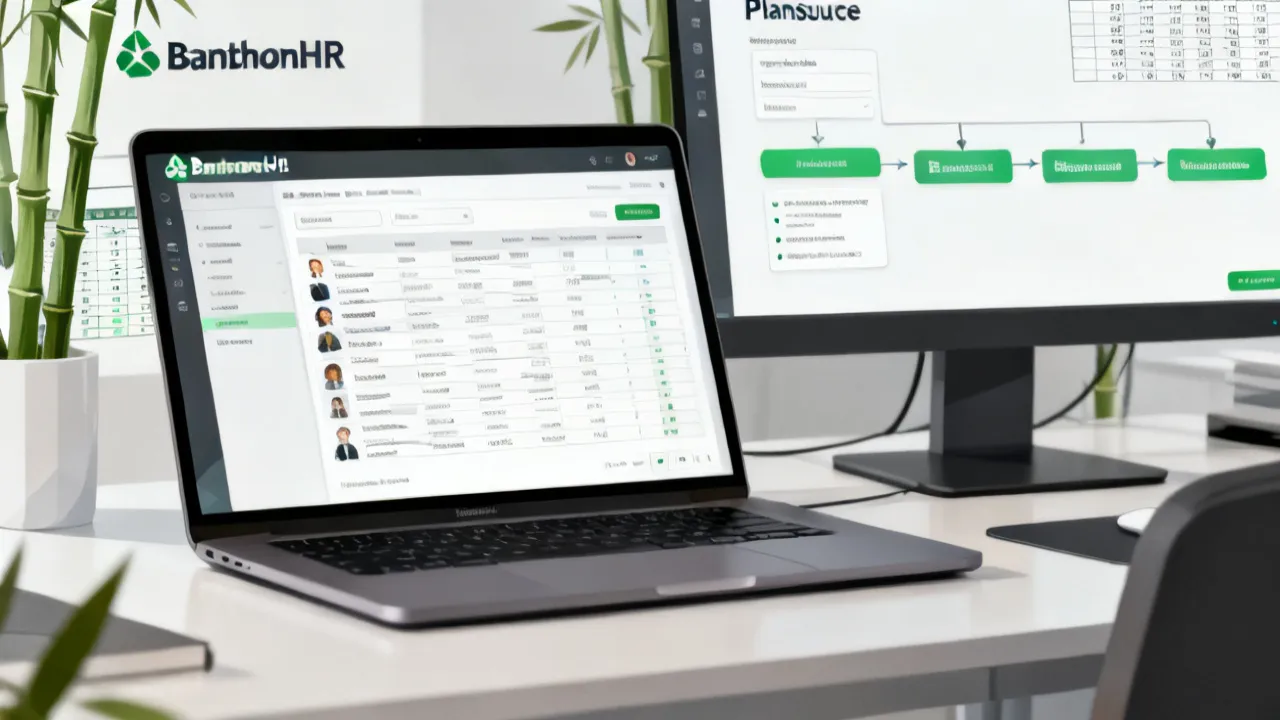
Selecting an HR platform is less about “features on a page” and more about how reliably your organization can manage employee data, benefits workflows, and compliance across everyday operations. If you’re evaluating Plansource and BambooHR, start by clarifying your primary use case—benefits administration depth versus HR system-of-record usability—then confirm integration paths, reporting requirements, and implementation effort.
In practice, the very successful rollouts follow a consistent pattern: define stakeholders (HR, Finance, Payroll, IT), map workflows (enrollment, life events, approvals, onboarding), validate data governance, and set acceptance criteria before contract negotiations. This approach reduces downstream friction such as inconsistent employee records, misaligned benefit elections, or reporting that fails during peak enrollment cycles.
Another way to phrase the decision is: you’re not choosing a product; you’re choosing an operating model. Your company’s operating model determines whether employees can enroll smoothly, whether HR can answer questions quickly, whether Finance can reconcile costs confidently, and whether Compliance can stand behind audit trails when something goes wrong. Both Plansource and BambooHR can play important roles, but they tend to shine in different parts of that operating model—so the selection hinges on where you want reliability most.
As you evaluate, keep a clear line between three different needs that HR leaders often blend together: (1) where employee data is mastered and maintained, (2) how benefits elections and events are governed and recorded, and (3) how employees experience tasks like onboarding and enrollment. Misunderstanding which platform owns which need is one of the most common reasons for project churn. The best teams intentionally design for “one workflow, one owner” across HR and benefits—then integrate systems so that ownership doesn’t create data silos or reporting mismatches.
Also consider your organization’s maturity. If you’re early in your HR tech journey, a simpler system-of-record can reduce operational overhead and accelerate adoption. If you’re already running complex benefits operations, you may prioritize benefits workflow control, auditability, and consistency across eligibility logic. This doesn’t mean smaller organizations should ignore benefits depth or larger organizations should ignore HR usability; it simply means you should weight the evaluation around the workflows that currently consume the most time, create the most risk, or generate the most employee confusion.
Finally, build your decision around the edge cases. Your “happy path” is rarely what breaks in production. The rollouts that create fewer issues are the ones that validate the weird-but-real scenarios: retroactive terminations, dependent eligibility changes that require proofs, mid-year employment status changes, payroll cutover timing issues, and cases where employees add dependents but miss documentation deadlines. If your integration test plan and acceptance criteria include these cases, you’ll learn quickly whether Plansource or BambooHR (or their combination) can truly support your operations.
While tool capabilities vary by package and configuration, BambooHR is very often chosen as an approachable HR system that helps teams centralize employee information, streamline onboarding, manage time-off processes, and improve HR visibility through structured reporting. Its appeal frequently lies in clarity: HR users can find data quickly, workflows feel intuitive, and administrators can maintain structured employee records without excessive customization.
In many organizations, BambooHR becomes the “daily driver” where HR managers and HR ops teams start their work. They look up employee profiles, check onboarding status, manage time-off requests, and run routine reporting for workforce operations. When BambooHR is implemented well, the user experience becomes a catalyst for better HR hygiene: people keep records updated, the organization stays current on employee details, and HR can answer questions faster. That matters because benefits eligibility often relies on accurate employee attributes like employment status, location, hiring dates, and sometimes job codes or other HR-defined fields.
Plansource, by contrast, is commonly associated with benefits-focused workflows—especially the operational mechanics of enrollment and benefits administration. For organizations that need a consistent enrollment experience, structured plan selection workflows, and robust process control around elections and life events, a dedicated benefits platform can be a strong fit.
The reason benefits platforms are so operationally critical is that enrollment and life events are not just data entry. They are time-bound decisions that require validation, audit trails, approval logic, and sometimes documentation workflows. When benefits processes break, employees feel it immediately: they miss coverage, see incorrect dependents, receive confusing emails, or face delays in corrections. In addition, Finance and Compliance feel the impact later because reconciliation, reporting, and audit readiness become harder when the enrollment record is incomplete or inconsistent.
The key objective when comparing them is to avoid accidental overlap. Many organizations discover that benefits administration and general HR recordkeeping touch each other constantly, but they do not always require the same system to own every step. The top strategy is usually a “clear owner per workflow” model: one system as the authoritative source for core employee data, and another system as the authoritative source for benefits enrollment events—then connect them through a reliable integration approach.
To make that model concrete, consider the lifecycle of an employee. When a new hire is created, your HR system of record should store the core identity profile and employment attributes. Those attributes then need to flow into your benefits platform so eligibility and plan availability can be calculated correctly. During onboarding, HR may also track readiness tasks and time-off configuration. However, when the employee enrolls in benefits, the enrollment decisions and event history should be captured in the benefits workflow system because those records often require an audit log and reconciliation-friendly outputs. The same idea applies to life events: the HR system may update employee demographics, but the benefits system should own what changed in coverage and why, along with the timeline of elections and approvals.
If you try to force one platform to own both HR recordkeeping and benefits enrollment events, you can end up with an architecture that works for common cases but struggles when you need deep auditability, event-driven workflows, or field-level governance. The best evaluations explicitly examine the boundary between “employee profile” and “enrollment event” and design around that boundary before you sign contracts.
The factors below typically drive success more than marketing claims. Consider these items first, because they determine whether the platform will be durable through quarterly HR operations and annual open enrollment.
If you address these points early, you reduce the risk of “everything works until it doesn’t” deployments—where data appears correct most of the time but breaks under special cases.
To strengthen this checklist further, you can also add an evaluation lens that many HR ops leaders use informally: measure operational recovery time. If an enrollment issue occurs (for example, a dependent eligibility mismatch or a missed life-event submission), how quickly can your team identify the root cause and correct the enrollment record? A platform that provides clear logs, role visibility, and straightforward admin workflows will typically reduce recovery time. That is often more valuable than a long list of UI features because enrollment seasons are high-pressure periods where speed and clarity matter.
Another “hidden” factor is whether the platform aligns with how people actually work internally. For example, if your HR team prefers to review and approve employee profile changes before they take effect, but your platform processes certain updates immediately, you may need additional workflow guardrails. Similarly, if your benefits team relies on broker coordination and expects a particular approval workflow, you should validate that the platform supports that workflow in a way that doesn’t require manual workarounds.
It can also help to evaluate the platform’s data model assumptions. For instance, how does it represent dependents, coverage tiers, plan options, and eligibility spans? When those assumptions differ from your internal process, integration and configuration become more complex. The earlier you discover those modeling differences, the less likely you are to face surprises during implementation testing.
Lastly, consider the “volume and timing” dimension. Open enrollment is a peak event with significant activity. So you should validate how the platform handles throughput: how quickly changes propagate, whether there are batch processing delays, what happens when multiple updates occur close together, and whether reporting is generated in near-real time or on a scheduled cycle. These considerations often differentiate a smooth operational experience from a frustrating one.
HR and benefits technology has shifted toward workflow-driven systems that emphasize employee self-service and operational traceability. Employers increasingly need to coordinate multiple functions—HR records, payroll eligibility, benefits elections, and compliance documentation—without relying on manual spreadsheets. Industry research organizations have repeatedly highlighted themes such as digitization of HR processes, increased demand for better workforce analytics, and the operational value of HR data standardization. For background, see widely cited HR technology research coverage from firms such as Gartner (HR technology and workforce analytics research), Deloitte (human capital technology perspectives), and SHRM (HR technology and HR operations guidance). (Always confirm details for your specific vendor packaging during evaluation.)
One reason this evolution matters for your Plansource versus BambooHR decision is that employee expectations have risen. Employees increasingly expect a guided, self-service experience during onboarding and benefits enrollment. If the experience is confusing, they don’t just feel inconvenienced—they submit questions, create back-and-forth with HR, and sometimes miss deadlines. Workflow-based systems aim to reduce that friction by structuring tasks, validations, and communications.
At the same time, employers are under more pressure to prove operational integrity. That includes compliance documentation, audit logging, and change tracking. Benefits elections are not merely preferences; they can trigger legal and financial consequences. As a result, the benefits workflow system you choose needs to capture what happened, when it happened, and who approved or changed it.
Because your question includes Plansource and BambooHR, a practical way to frame the comparison is: Which platform reduces friction for your primary HR workflow pain? For many organizations, benefits enrollment is the highest “operational stress” event. However, employee onboarding and day-to-day HR record access are equally important for good adoption. That’s why a two-part evaluation—operational benefits workflows plus day-to-day HR usability—tends to yield the clearest answer.
In other words: don’t let the benefits evaluation consume all your attention if your employee data hygiene will remain weak in the HR system. If employee records are incomplete in BambooHR, your eligibility workflows in Plansource may still fail due to missing or inconsistent identity attributes. Conversely, if your HR record usability is strong but benefits workflows are unstructured or difficult to audit, compliance and reconciliation risk still rises. The best outcomes come from coordinated workflows that respect the strengths of each platform.
Below is a structured approach that HR operations leaders and system administrators often use to select or integrate HR platforms. It’s written to be practical, measurable, and objective.
When teams follow this process, they typically uncover integration gaps early—before go-live—by testing with edge cases rather than only “happy path” workflows.
To make acceptance criteria truly effective, you can convert them into measurable, testable statements. For example:
These types of criteria are often more useful than “the UI looks good” because they focus on operational reliability. A platform may look polished in demo environments but fail to support your acceptance criteria when deployed with your data model and your edge cases.
Also pay attention to “parallel run” procedures, because open enrollment is often the first time you fully rely on a new workflow. Teams that schedule a parallel run—where historical logic and new logic run side by side—can validate outputs and catch mismatches with less disruption. If you can negotiate for a parallel run during evaluation or implementation, it can reduce risk substantially.
Direct “price lists” for Plansource and BambooHR are often not published consistently because pricing commonly varies by:
From an objective evaluation standpoint, you should request a formal quote or pricing proposal that breaks down costs into categories you can compare—license fees, implementation fees, integration support, and ongoing support. If your vendor representative provides a quote, ask for a written scope that states what’s included and what triggers additional costs.
For benchmarking, many organizations use independent HR technology spending reports to understand broad market cost drivers, but those reports rarely translate into exact pricing for two specific products. Therefore, the very reliable approach is to obtain line-item estimates tailored to your workforce size and workflow requirements.
When evaluating cost, avoid comparing total contract price alone. Instead, compare the cost of ownership across the implementation lifecycle. For example, does the higher license fee in one product reduce the need for heavy internal maintenance? Does another product require more admin configuration or custom reporting builds? If you anticipate significant internal effort anyway, the comparison changes. In other words, a slightly higher upfront implementation cost might be worth it if it reduces the operational burden during open enrollment.
Also ask for clarity on service limits. Some platforms offer enhanced support during enrollment peaks, while others may require paying for premium support or additional hours. If you’re adopting a new platform during an upcoming open enrollment window, you should request explicit support commitments for that timing.
Finally, factor in integration costs even if a vendor provides integration assistance. If integration relies on internal IT resources (for example, maintaining mappings, monitoring data flow, or handling identity reconciliation), you need to budget for that. The best procurement practice is to insist on a written RACI (Responsible, Accountable, Consulted, Informed) that clarifies who does what during integration testing, go-live, and incident resolution.
Procurement teams typically ask for “supplier details” such as implementation responsibilities, integration documentation, support coverage windows, and security posture. For BambooHR and Plansource, the very important supplier-related questions are usually:
These questions help prevent the very common procurement pitfall: contracting for features while under-specifying operational responsibilities.
One of the most important supplier-procurement details is incident response. During open enrollment, issues will occur—if not in the platform itself, then in integrations, data mapping, or employee inputs. You should ask the vendor for their standard incident workflow: How does a ticket get triaged? Who gets alerted? What is the maximum expected response time? What evidence do they require from you to diagnose? These operational details are often more important than whether a platform “supports integrations” in general terms.
You should also verify the support model across time zones and weekends. Enrollment peaks don’t respect business hours. If you have employees in multiple regions, ask how communications and troubleshooting are handled. Some vendors can provide “follow-the-sun” support or escalation paths. If they can’t, you should know that upfront and plan accordingly.
In addition, ask about release cadence and change management. Vendors will update platform features. You need to understand how updates affect your configuration or integration endpoints, and whether there are deprecation timelines. A mature vendor will provide versioning practices and provide advance notice for changes that might affect your workflows.
Security and compliance also belong in procurement. Request information on authentication options (single sign-on), role-based access control, audit logging, data retention policies, and encryption practices. Even if your organization’s security team already has standard requirements, you should still validate the platform’s ability to support your security model.
Even when a company is not headquartered in one particular region, “localized behavior” still matters—because HR teams use different terminology and expectations depending on their internal practices. For example, HR operations teams often refer to “life events,” “qualifying events,” or “status changes.” Manager-facing experiences may differ in the tone of communications, and employee self-service flows should match your internal language (and your organization’s cultural norms around autonomy and approval).
Use a consistent test plan and ensure that UI labels, email templates, and workflow steps reflect how your employees think about benefits and onboarding. Small language mismatches can cause large operational delays during enrollment.
Localization also includes how the platform handles dates, time zones, and regional eligibility differences. Even if you only have one benefits program, your employee population may cross multiple jurisdictions. The benefits platform should handle differences in coverage effective dates, documentation requirements, or plan availability rules. During evaluation, request scenario tests that reflect your real geography.
Beyond language, consider the “tone and empowerment” alignment. Some organizations want employees to be able to self-manage dependents with minimal admin intervention, while others require more approval gating. A platform can often be configured either way, but only if you confirm your desired governance model early. If you don’t align governance and terminology, employees may see confusing messages (for example, “your enrollment is pending” with no clear next action), which increases HR ticket volume.
It can also help to run a “communications rehearsal” with actual employee-facing templates. Ask the vendor to show not only the UI but also the email and notification flows. Then validate that the messages include all required information: what changed, what the employee must do next, what the deadline is, and what happens if documentation isn’t received. These details often determine whether employee adoption is smooth or strained.
The table below rephrases the very relevant comparison points as a neutral decision aid. It does not include external links.
| Evaluation Area | BambooHR (common positioning) | Plansource (common positioning) | What to confirm with your vendor |
|---|---|---|---|
| Primary strength | Centralized HR records, onboarding workflows, HR usability | Benefits enrollment and benefits administration workflows | Which workflows are “owned” by each system in your architecture |
| Operational stress point | Ongoing onboarding and day-to-day HR access | Open enrollment and life-event processing | How the platform handles edge cases and audit trails |
| Data flow | Employee profile data and HR process data | Eligibility, enrollment events, plan elections | Data mapping rules and integration test coverage |
| Reporting | HR reporting and workforce visibility | Enrollment-related reporting and reconciliation outputs | Report exports, timeliness, and who consumes them |
| Admin controls | User permissions and HR admin workflows | Benefits admin workflows and approval logic | Role granularity, approval steps, and audit logging depth |
| Implementation considerations | Configuration of HR workflows and onboarding steps | Configuration of eligibility rules and enrollment flows | Project plan, timelines, and who performs integration work |
| Top-fit organizations | Teams wanting an approachable HR system of record | Teams emphasizing benefits operations consistency | Whether one platform alone satisfies both HR and benefits requirements |
To reduce rollout risk, treat these as prerequisites for implementation success. They represent common conditions teams should set—regardless of whether you choose Plansource or BambooHR, or a combined architecture.
To make these non-negotiables operational, you can translate them into a go/no-go checklist that includes sign-offs. For instance:
When teams skip these sign-offs, they often discover misconfigurations late—right when employees are about to enroll. The cost of a late discovery can be high because you may have to manually correct records or extend deadlines, both of which create operational strain.
Another non-negotiable is clarity on what happens when data is wrong. If an employee record is incomplete or an integration fails, do you have a defined resolution workflow? For example, do HR ops correct the employee profile, re-trigger eligibility calculation, and then re-run enrollment? Or is there an admin tool that allows corrected data to be applied safely without overwriting audit history? These decisions should be planned, not improvised.
In HR architecture discussions, the system-of-record concept is often treated as a technical detail—yet it strongly influences user experience and operational reliability. If employee demographic fields live in one place and benefits eligibility lives in another, every integration misalignment becomes a business problem during enrollment.
An expert approach is to map “data authority” per field category:
Once data authority is clear, you can design integration to be resilient. For example, if HR changes certain attributes, you need a defined mechanism for what triggers an eligibility recalculation and how employees are notified. Similarly, if benefits changes occur due to employer-level coverage adjustments, the HR and payroll systems must be updated consistently.
In this context, BambooHR frequently plays a role as a structured HR workflow hub, while Plansource frequently plays a role as an enrollment workflow engine. Your architecture should reflect that division of responsibility unless your organization has a rare setup where one system comfortably owns both domains with minimal friction.
It’s also worth considering what your internal users expect. HR managers often expect to edit employee profile details in the HR system, and they expect those edits to immediately influence eligibility where appropriate. Benefits administrators, however, often need a controlled and auditable workflow for elections and changes. Therefore, the system-of-record decision should align with the “editing experience” each team expects. If HR has to perform benefits edits manually in the HR system, or if benefits admins have to edit HR profiles in the benefits system, your workflow boundaries become blurred—and so does ownership.
When boundaries blur, operational errors increase. A typical example: an employee updates their address, which should update eligibility-related eligibility rules for location-based plan availability. If the update flows into the benefits platform late or inconsistently, employees may see plan options that no longer apply. Designing around data authority helps prevent those issues by ensuring that the correct triggers and validations are in place.
Another subtle but important consequence of system-of-record decisions is reporting ownership. Reports aren’t just exports; they reflect business authority. If Finance reconciles costs based on one source, but HR uses another for reporting, leadership may receive conflicting numbers. The best architecture ensures that each reporting output can be traced back to an authoritative system, with defined reconciliation logic when needed.
Many organizations evaluate a combined approach to separate HR recordkeeping from benefits enrollment workflows. Whether the integration is feasible depends on your requirements, modules, and the integration method supported for your configuration. During evaluation, request integration documentation and run scenario tests with realistic enrollment events.
When they’re used together, the success factor is rarely the existence of an integration. It’s how you design the boundary: which system is authoritative for employee profile fields, which system is authoritative for eligibility and enrollment events, and how you handle exceptions. You should also confirm what happens during integration outages. For example, if the benefits platform cannot pull eligibility updates, do you freeze eligibility calculations, queue them, or allow enrollment based on last-known data?
Decide based on workflow ownership and operational reality. If HR teams maintain employee profiles, onboarding status, and structured HR data primarily in BambooHR, it often becomes the system of record for those categories. If benefits eligibility and enrollment event tracking are complex and heavily audit-driven, the benefits platform (often associated with Plansource) typically becomes authoritative for enrollment events.
To operationalize this decision, document it at the field level. For each attribute that affects eligibility or onboarding, identify the source-of-truth system and the expected update direction. Then confirm the update latency expectations. Even if you decide “HR owns the employee profile,” you should validate whether the benefits platform recalculates eligibility immediately or on a scheduled basis after profile updates.
At minimum, test new hire onboarding triggers, life-event changes (dependents added/removed, coverage adjustments), eligibility refresh cycles, and manager access behaviors. Validate reporting outputs and reconciliation workflows used by Finance or HR operations.
Beyond the minimum, test at least two edge-case categories. Common ones include: (1) retroactive changes (effective dates that are earlier than the submission date), and (2) changes that affect both identity and eligibility (like location changes or employment status changes). These tests often uncover unexpected dependencies between HR fields and benefits enrollment logic.
Often not. Pricing commonly varies by employee count, selected modules, implementation scope, and integration support. Ask for a written, itemized proposal and confirm what is included versus what requires additional fees.
Also request clarity on implementation timelines and support coverage. A low-cost license with high implementation or expensive support can be more costly over a year than a slightly higher license with more turnkey support. Compare not just license costs but also operational costs such as administrative time, integration maintenance, and the cost of training and communications.
Prepare clean baseline employee data, document eligibility rules, agree on data authority per field, and run integration testing with edge cases. Ensure training and communications plans are ready so employees understand what actions they need to take during enrollment periods.
Additionally, ensure you have internal owners for each stage of the workflow: who verifies HR profile data, who approves eligibility logic, who monitors integration after go-live, and who resolves enrollment disputes. Without clear internal ownership, even a well-configured system can underperform due to delays in decision-making and resolution.
Identify report consumers early and define the required fields, time windows, and export formats. Then verify with test data during the evaluation phase. If reconciliation is critical, validate the process rather than assuming exports will meet internal standards.
Also clarify whether reporting is intended for operational monitoring (during enrollment) or for retrospective analysis (after enrollment). Different use cases can require different reporting formats, data refresh timing, and data granularity. If Finance needs monthly reconciliation, for instance, you should validate that you can reproduce month-end totals reliably and map them to the correct payroll periods or billing periods.
Ask about support SLAs, escalation paths, and the level of technical assistance available during open enrollment. Confirm how issues are triaged and resolved, and whether there are recommended runbooks for known enrollment scenarios.
Additionally, request information on “known issue” communications. During enrollment peaks, you want proactive guidance if there’s a known limitation or a workaround. Mature vendors often provide runbooks and best-practice documentation. If they do not, you should consider whether you need to invest in internal playbooks and training to cover operational realities.
Sometimes a single platform can cover both HR and benefits effectively, but many organizations still discover gaps when workflow depth differs. If your benefits processes are highly complex, a dedicated enrollment workflow platform can reduce operational risk—especially around compliance documentation, audit trails, and event-based elections.
The risk isn’t that “one platform can’t work.” The risk is that a single platform might require more customization to meet your benefits governance needs or might not provide the same level of audit trail or eligibility event modeling. If you choose a combined approach, you can preserve benefits workflow depth while still enjoying a clear HR system-of-record experience.
If you want a practical path forward, you can treat your next two weeks as a structured “proof” phase rather than a prolonged review.
With that structure in place, comparing Plansource and BambooHR becomes a decision grounded in operational outcomes—how your team will work, how employees will experience benefits and onboarding, and how reliably your organization can report and reconcile results.
To strengthen your “proof” phase, consider adding one final deliverable: a written “workflow boundary document.” In that document, you define what data is owned by each system, what triggers updates, what happens when updates fail, which system each user group logs into for each task, and where audit history lives. If both vendors can support your boundary document without requiring unusual hacks, your likelihood of a smooth implementation increases significantly.
Striking the Perfect Balance: Navigating Premiums and Out-of-Pocket Expenses in Senior Insurance Plans

Explore the Tranquil Bliss of Idyllic Rural Retreats

How to Make Lasting Memories at Disneyland Attractions

4rkojvsx Technology: Industry Insights and Buying Guide

Affordable Phones and Plans for Seniors

Affordable Full Mouth Dental Implants Near You

Unlock the Top Kept Secrets to Finding Your Ideal Dentist for Flawless Dental Implant Results!

Discovering Springdale Estates

Unveiling RS Sul Telecom Services

Unveiling RS Sul Telecom Services
RS Sul Telecom emerges as a prominent entity in the telecommunications industry, providing reliable services across various regions. This article delves into the offerings of RS Sul Telecom, the benefits it presents to both individual and business clients, and its impact on the modern telecom landscape.

Understanding Rlock Advpl in Business
Rlock Advpl represents a pivotal advancement in business software solutions, offering enhanced security and efficiency for enterprise resource planning systems. This article delves into the intricacies of Rlock Advpl, its application in modern businesses, and the benefits it offers in streamlining operations and safeguarding data. As an expert tool, Rlock Advpl is essential for businesses looking to optimize their IT infrastructure.

Unveiling Atranet Innovation
Atranet represents a cutting-edge concept in networking technology. Harnessing its capabilities can transform digital communication by providing seamless connectivity. Designed to optimize data transfer, security, and efficiency, Atranet is shaping the future of how we connect and share information. This article delves into its structure, applications, and potential impacts on industry practices and consumer experiences.

Understanding Polysulfide Adhesive Applications
This comprehensive guide explores the applications and benefits of polysulfide adhesive, highlighting its unique properties and widespread use in construction, aerospace, and automotive industries. Known for its flexibility and resistance to various environmental factors, polysulfide adhesive is a key component in sealing and bonding applications, providing durability and reliability in demanding conditions.
Comparing Vtex with Salesforce Commerce
This article provides an in-depth comparison between Vtex and Salesforce Commerce, two leading digital commerce platforms. Each offers unique features suited to different business needs. Vtex is renowned for its collaborative commerce approach, while Salesforce Commerce shines with its comprehensive customer relationship management capabilities. Explore their differences, strengths, and insights from industry experts.

Understanding the Latest Chrome Version
This article delves into the intricacies and features of the latest Chrome version. Chrome, developed by Google, is one of the very popular web browsers globally, known for its speed, simplicity, and security features. Each update aims to enhance user experience through improved functionality and performance. Understanding these updates is crucial for both everyday users and developers.
