This guide explains how StandUp Wireless Phones fit within the federal Lifeline program, including eligibility, application steps, plan features, device choices, and possible additional charges. It also compares StandUp Wireless with other participating providers, including SafeLink Wireless, Assurance Wireless, Access Wireless, and True Wireless. Program rules, provider availability, data allowances, and device options vary by state and household circumstances.
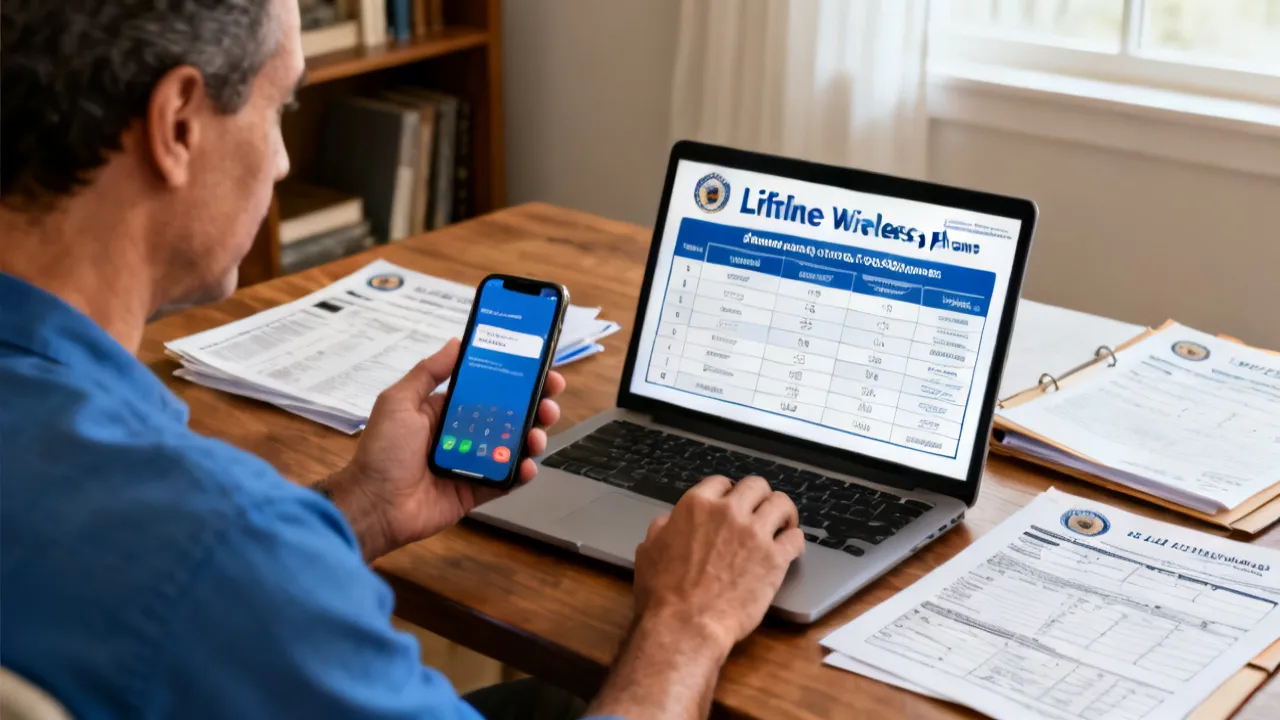
StandUp Wireless Phones are generally connected with the federal Lifeline program, a communications assistance benefit intended to help eligible low-income households maintain access to voice and broadband services. StandUp Wireless may offer a participating customer a handset or a bring-your-own-device option, depending on the state, available inventory, plan rules, and eligibility result.
The very important point is that approval is not automatic. An applicant normally must qualify through household income or participation in an approved assistance program, complete an identity and eligibility review, and follow the provider’s enrollment requirements. A person who already receives Lifeline through another company may need to transfer service rather than open a second account. Federal rules generally limit the benefit to one Lifeline service per household, not one service per individual.
Plan details are not identical across the United States. A customer may see different data allowances, device selections, enrollment channels, shipping procedures, or optional charges based on state, network availability, and current provider policies. For that reason, the provider’s official application page and the National Verifier should be treated as the controlling sources before documents are submitted.
Industry perspective: the strongest way to compare a government-supported wireless offer is not to focus only on the handset. Examine the service area, monthly data policy, account renewal rules, device replacement terms, customer support channels, and any cost associated with upgrades. A basic smartphone has limited value if the plan does not work reliably at the customer’s home, workplace, school, or medical provider.
It is also helpful to separate three different questions before applying. First, is the household eligible for Lifeline? Second, does StandUp Wireless serve the household’s address under a suitable plan? Third, is the available device and service arrangement practical for the applicant’s daily needs? A person can qualify for the program but still prefer another participating provider if that company offers better coverage, a more convenient enrollment process, or a data allowance that better matches the customer’s usage.
Lifeline is administered by the Federal Communications Commission and supported by the Universal Service Fund. The program is designed to reduce the cost of qualifying communications service for eligible consumers. Participating wireless companies apply the benefit to an approved service account under federal and state requirements.
Eligibility is commonly established in one of two ways:
Examples of qualifying programs may include Medicaid, the Supplemental Nutrition Assistance Program, Supplemental Security Income, and Federal Public Housing Assistance. Additional programs can apply in particular jurisdictions. Residents of qualifying Tribal lands may have access to enhanced Lifeline support or additional qualifying pathways, subject to program rules.
The reference information supplied for this article identifies 135% of the federal poverty guidelines as the Lifeline income benchmark. Applicants should not rely on an old dollar amount because the guideline changes and household-size calculations matter. The current National Verifier or the provider’s official eligibility page should be consulted for the amount that applies at the time of application.
The Affordable Connectivity Program, often called ACP, was a separate federal benefit that provided broadband assistance. It ended when funding was exhausted on June 1, 2024. Older provider pages or archived articles may still mention ACP benefits, including the 200% income guideline. Those references should not be interpreted as evidence that ACP enrollment is currently open. Lifeline remains a separate program, but its rules and available provider offers must be checked independently.
Lifeline is not the same as a general free-phone giveaway. The device and service are connected to an eligibility-based communications benefit, and the customer must continue to follow applicable rules after enrollment. Depending on the offer, the customer may receive a phone at no charge, use an existing phone, or have the opportunity to purchase a different device. The exact arrangement is determined by the provider’s current plan and the customer’s state.
The program’s broader purpose is connectivity. A working phone can help a person contact an employer, receive an interview call, communicate with a school, arrange transportation, reach a doctor, refill a prescription, apply for public benefits, or contact emergency services. Mobile data can also be important for customers who do not have another reliable internet connection. These practical uses are why coverage, account continuity, and device reliability deserve as much attention as the word “free” in an advertisement.
StandUp Wireless may provide an eligible customer with a smartphone or support for a compatible customer-owned device. The exact offer may include voice, text messaging, and a defined amount of mobile data. Some plans describe talk and text as unlimited, while data may be unlimited, capped, reduced after a threshold, or subject to network-management policies depending on the applicable state plan.
A handset supplied through a provider is usually a practical entry-level Android device rather than a current premium model. Specifications can change as inventory changes. Customers should review the listed model, operating system, storage capacity, camera features, charging connector, SIM or eSIM compatibility, and replacement policy before placing an order.
A bring-your-own-device option can be useful for someone who already owns a compatible phone. Compatibility may depend on the device being unlocked, supporting the provider’s network bands, passing an equipment check, and having a clean account status. A phone previously reported lost, stolen, or unpaid may not activate successfully. The provider, not the device seller, determines whether a particular handset can be used.
Possible extra charges may apply for a premium device, additional data, replacement equipment, or optional international calling. These items should be treated as separate purchases rather than assumed benefits of the standard Lifeline service. Before accepting an upgrade, a customer should confirm the total amount, payment schedule, shipping charge, return period, and whether the payment is refundable.
Customers should also consider the phone’s expected role. Someone who mainly needs calls, text messages, appointment reminders, and occasional web access may be satisfied with a modest device and a limited data allowance. Someone who regularly uses video calls, maps, telehealth applications, online coursework, social media, or job-search websites may need more storage, a larger battery, and more dependable high-speed data.
Battery condition is especially important when a customer receives a refurbished or previously issued phone. Ask whether the handset is new, refurbished, or used; whether it includes a charger; and whether there is a limited warranty. A phone that arrives with a weak battery may still function, but frequent charging can be inconvenient for customers without reliable electricity or who work away from home.
The following comparison reorganizes the supplied provider information for general research. It is not a guarantee that each offer is available in every state, and plan terms may change. “Included services” refers to the type of benefit described in the reference material, not a promise of a particular data amount or phone model.
| Provider | Services commonly described in the Lifeline or government-supported offer | Potential additional package costs |
|---|---|---|
| SafeLink Wireless | A handset or customer-owned-device option, with voice, text messaging, and data that vary by state and plan. | Premium device upgrades or additional data may require payment. |
| Assurance Wireless | An Android smartphone, talk and text service, and a plan-specific data allowance. | Extra high-speed data and international calling may be optional paid features. |
| StandUp Wireless | A smartphone or BYOD option, voice and text service, and a plan-specific data benefit. | Higher-tier phones or additional data may be offered for a charge. |
| Access Wireless | Voice, text, and a limited high-speed data allowance associated with available Lifeline offers. | Data boosts and device upgrades may involve a separate fee. |
| True Wireless | A government-supported handset option with voice and data service under available plans. | Better devices or additional data packages may be available at extra cost. |
source: www.safelinkwireless.com
source: www.assurancewireless.com
source: standupwireless.com
source: www.accesswireless.com
source: www.gotruewireless.com
This table should be used as a starting point rather than a final purchasing decision. Two companies may both advertise free talk, text, and data while applying different rules to the amount of high-speed data, hotspot access, video quality, network prioritization, or account inactivity. The customer should open the current plan description and read the terms connected to the specific state and ZIP Code.
SafeLink Wireless may appeal to consumers who want either a provider-supplied smartphone or a customer-owned-device route. Its offer structure can vary by state, so the applicant should confirm whether the listed data allowance, device selection, and activation process apply to the intended address.
Assurance Wireless is another major participant in the Lifeline market. Its published materials commonly describe an Android handset and talk, text, and data service. Applicants should verify whether a particular state requires application through the provider, the National Verifier, or an integrated state process. Optional international calling and additional high-speed data should be reviewed separately.
Access Wireless may provide voice, text, and a defined high-speed data amount under available Lifeline arrangements. A data boost can be useful for customers who rely on mobile service for work or school, but the customer should first establish whether the standard data amount is sufficient and whether the added package is recurring or one-time.
True Wireless may serve eligible consumers with a provider-supplied handset and wireless service. Its website or customer service team should be consulted for state availability, documentation standards, device inventory, and activation instructions.
StandUp Wireless can be a practical option when its coverage, available plan, and enrollment process fit the customer’s location. Nevertheless, brand recognition alone is not enough to determine the top choice. A careful comparison should consider the following:
Number portability can also influence the decision. A customer who has used the same phone number for years may want to transfer it to the new service. Before beginning a transfer, collect the current carrier’s account number, transfer PIN, billing ZIP Code, and account name if those details are required. Keep the old service active until the transfer is completed, because canceling too early can cause the number to be lost.
Customer service accessibility matters for older adults and people with disabilities. Compare whether help is available by phone, online chat, email, or a local retail location. A customer who has difficulty using a web portal may need a provider with strong telephone support. Applicants should also ask about accessibility accommodations, language assistance, and alternative formats for important notices.
Applicants generally need to meet the Lifeline income standard or participate in a qualifying assistance program. The household definition is important. Under federal rules, people who live together and share income and expenses may be considered one household, even if they are not related. A household generally cannot receive multiple Lifeline benefits through different providers.
Potential qualifying programs include:
Participation in one of these programs does not remove the need for identity verification. The applicant may be asked for a Social Security number, date of birth, address, and documentation showing participation or income. The precise document list depends on the verification result and the provider’s instructions.
Common documents may include an eligibility notice, benefits statement, program participation letter, tax document, wage statement, or other official record. A document should be current, legible, and consistent with the information entered in the application. If a name or address has changed, the applicant may need supporting records or an explanation.
Tribal lands can have special Lifeline provisions. Applicants should identify whether their residence is within a qualifying Tribal area and review the applicable requirements. A Tribal benefit may involve a different support level or additional qualifying programs, but the applicant still needs to complete the required verification.
Household members should communicate before applying. For example, roommates who share an address but do not share income and expenses may have different household circumstances from relatives who live together and share financial responsibilities. The application system or administrator determines how the rules apply to the facts provided. Applicants should answer honestly rather than attempting to create separate accounts simply to obtain multiple devices.
Begin with the Lifeline section of the official federal website or the National Verifier. Confirm that the benefit is open, that the applicant’s state is supported, and that the provider is authorized to offer service in the relevant area. Do not depend on an old advertisement, social media post, or search result that does not show current terms.
Ask whether another person in the home already receives a Lifeline-supported service. If so, the household may need to choose one provider or complete a transfer. Submitting multiple applications can create delays or cause an application to be flagged for duplicate enrollment.
Prepare the applicant’s legal name, date of birth, service address, mailing address, and the last four digits or full identifying information requested by the official verification system. If qualifying through a public program, locate a current document that states the applicant’s name, program, and participation period.
The applicant may apply through the National Verifier, a state-specific process, or the provider’s online portal, depending on location. Enter information exactly as it appears on official documents. Small inconsistencies, such as a missing apartment number or a different spelling of a surname, can result in a request for manual review.
After eligibility is established, select a provider that serves the applicant’s address. If StandUp Wireless is available, review its plan terms and device options. An applicant may be asked to upload documents again or authorize the provider to receive the verification result.
For a provider-supplied handset, review the model and activation instructions. For BYOD, verify compatibility before transferring a number or purchasing a SIM card. Customers should back up contacts, photographs, messages, and authentication applications before changing devices.
Once the device arrives, follow the provider’s activation instructions. Test calling, text messaging, mobile data, voicemail, emergency calling, and account access. A customer who has trouble should record the error message, device model, SIM details, and activation date before contacting support.
Lifeline-supported service may be subject to usage, recertification, or annual eligibility requirements. Read provider notices carefully. If the program administrator requests recertification, respond by the stated deadline. If the customer no longer qualifies, the provider or administrator should be informed rather than allowing inaccurate information to remain on the account.
Keep the application confirmation, approval notice, tracking number, activation date, and customer service case numbers. These records are useful if a shipment is delayed, a device arrives damaged, a number transfer fails, or an eligibility notice is later disputed. A simple folder, whether paper or digital, can prevent repeated explanations and unnecessary delays.
Verification is designed to prevent duplicate benefits and confirm that public assistance reaches eligible households. It can also be the very time-consuming part of the application. An expert recommendation is to create a small application file containing the submitted form, confirmation number, documents, and dates of every communication.
Digital documents should be photographed or scanned in good light. The entire page should be visible, including the issuing organization and date. Avoid uploading an image that is cropped, blurry, password-protected, or too large for the portal. If a portal rejects a document, read the stated reason before submitting the same file repeatedly.
Applicants should protect sensitive information. Use the official provider domain or government website, check that the browser address begins with HTTPS, and avoid sending Social Security numbers through ordinary email or unsolicited text messages. A legitimate provider may request identifying information during an application, but customers should initiate contact through a verified channel.
Scams often use urgent language, unofficial payment requests, or promises of a particular premium phone. Applicants should be cautious when a third party asks for a gift card, cryptocurrency, wire transfer, or unusual processing fee. The existence of an application fee, shipping charge, or optional upgrade should be confirmed directly with the provider before payment.
If an applicant receives a message saying that an account will be closed unless immediate payment is made, do not click an unfamiliar link. Instead, open the provider’s website by typing the address directly into the browser or using a previously verified bookmark. Contact the number listed on the official website, not the number contained in the suspicious message.
A phone supplied through a Lifeline provider may be adequate for calling, messaging, navigation, two-factor authentication, and ordinary web use. However, performance depends on more than the advertised model. Storage, memory, battery health, software support, and network compatibility affect everyday reliability.
Customers who use video meetings, telehealth, online classes, or employment platforms should examine the data policy carefully. “Unlimited” may describe access subject to network-management rules, while “high-speed data” may refer only to a stated amount. After that amount is reached, data could be slowed, paused, or made available through a paid add-on, depending on the plan.
Coverage maps are useful but not conclusive. Indoor reception can differ from outdoor reception because of building materials, terrain, local congestion, and the phone’s antenna. If possible, ask people in the same neighborhood about their experience using the relevant network. Rural customers, residents in mountainous areas, and people who travel between towns should pay particular attention to coverage beyond the home address.
BYOD customers should check whether the device is carrier-unlocked and compatible with the provider’s network technology. A handset purchased for another carrier may not support every frequency or feature. Compatibility tools are more reliable than assumptions based on brand or model name alone.
Customers should also think about hotspot and tethering restrictions. A phone may offer mobile data for use on the handset but not permit the customer to connect a laptop or tablet. If internet access for another device is important, read the plan terms before enrollment. Similarly, some applications use significant data in the background, including automatic photo backup, operating-system updates, and video streaming. Adjusting application settings can help a customer preserve a limited monthly allowance.
Emergency communications deserve special attention. A wireless phone may be able to contact emergency services in circumstances where ordinary service is unavailable, but location accuracy, network access, battery power, and local conditions can affect the call. Customers should not rely on a mobile phone as their only emergency plan. Keep important medical contacts, family numbers, and local emergency information in a place that can be accessed if the phone is lost or the battery is empty.
The standard Lifeline benefit and optional products should be evaluated separately. Potential charges can include:
A customer should ask whether a charge is one-time or recurring. Some add-ons may renew monthly unless canceled. The account dashboard, terms of service, and customer support representative should provide the relevant information. Keep receipts and screenshots of the order confirmation.
It is also important to distinguish an upgrade from a requirement. An applicant may not need to buy a premium phone to receive the standard service. If an agent suggests that payment is mandatory, the customer should pause and verify the statement through the provider’s official support channel.
Customers should be careful with offers that advertise a high-value phone while placing the important price information in small print. Ask whether the phone is fully covered, partially subsidized, financed, or available only after a separate payment. Also ask whether returning the service or changing providers creates a balance due on the device.
When a plan includes a paid add-on, write down the cancellation instructions. A customer should know whether the feature can be removed online, through an automated telephone system, or only with a representative. Review the next account statement after cancellation to confirm that the charge has stopped.
Eligibility does not necessarily remain unchanged forever. Income, household composition, participation in assistance programs, and address can change. Providers or the Lifeline administrator may request annual recertification. Missing a deadline can result in service suspension or removal from the program.
Customers should keep their mailing address and contact information current. A notice sent to an old address may contain an important recertification deadline. If the customer changes providers, the transfer should be completed through an authorized process instead of opening a second account.
Usage requirements may also apply. A provider can explain what qualifies as usage, how often it must occur, and how nonuse affects the account. Customers should not assume that merely owning the handset preserves enrollment. Reading account notices is a simple but important part of maintaining service.
If a customer travels for an extended period, moves to another state, enters a shelter, or changes housing, the service address may need to be updated. A customer should contact the provider before assuming that the account will automatically follow the move. State-specific availability and eligibility procedures can affect continued service at a new address.
When a phone is lost or stolen, report the incident as soon as possible. Ask the provider to suspend service, block the device if available, protect the account, and explain replacement options. Change passwords for email, banking, social media, and other accounts that were accessible from the missing phone.
If another household member has a Lifeline account, the new application may be denied or held for review. The household should identify the existing account and contact the provider or administrator about the appropriate transfer or household exception process.
An address entered online may not match the address on a benefits document. Use the official residential address format requested by the portal, including apartment or lot information. A mailing address can be different, but the service address must be accurate.
Review whether the document shows the applicant’s name, qualifying program, and current date. If the program record belongs to another household member, additional documentation may be needed to show the relationship or shared household status.
A provider may not serve every state or ZIP Code. Applicants can compare other authorized carriers instead of assuming that a device offer seen online is available locally. Availability can also change because of network agreements, inventory, or state plan rules.
Check the SIM placement, device compatibility, account number, and activation instructions. If a customer is transferring a number, do not cancel the existing service until the transfer is complete unless the provider specifically instructs otherwise.
Review the order summary and add-on selection. Contact the provider promptly, ask for an itemized explanation, and retain the case number. If the issue is not resolved, the customer may consult the appropriate state or federal consumer-protection and telecommunications complaint channels.
Use the official password-recovery process rather than creating a second account. If the customer no longer has access to the email address or phone number used during enrollment, ask the provider what identity-verification process is available. Do not provide account information to an unverified person who promises to restore access.
Check the shipping confirmation and verify that the mailing address is correct. If tracking shows delivery but the phone was not received, contact the provider promptly and ask about a replacement or investigation. Keep the tracking number and any delivery photographs or notices.
Government assistance applications involve sensitive personal information. Use a private internet connection when possible, create a strong account password, and avoid reusing that password on banking or email accounts. Enable multifactor authentication if the provider offers it.
After receiving a phone, install operating-system updates, use a screen lock, and enable device-location or remote-wipe tools. Do not share verification codes with people who contact you unexpectedly. A customer service representative should not need a one-time authentication code for an unrelated account.
Before disposing of an old phone, back up necessary information, remove the SIM card, sign out of major accounts, and perform a secure factory reset. Customers should also review which applications have permission to access contacts, location, microphones, and photographs.
Be selective when connecting to public Wi-Fi. Unsecured networks can expose login information, especially when a customer visits a banking, medical, or benefits website. Mobile data may be preferable for sensitive transactions. Customers should also avoid installing applications from unknown sources or clicking links in messages that claim to offer a free upgrade.
Parents and caregivers may want to review accessibility and safety settings. Larger text, screen readers, hearing-aid compatibility, emergency contacts, and simplified home screens can make a device easier to use. These features are often available without paying for a premium handset.
Customers with a fixed data allowance can reduce unnecessary consumption by connecting to trusted Wi-Fi for operating-system updates, application downloads, and large media files. In the phone’s settings, the customer can review which applications use the most data and restrict background activity for applications that are not essential.
Video is usually one of the largest sources of data use. Lowering video quality, disabling automatic video playback, and downloading educational or entertainment material while connected to Wi-Fi can extend the available allowance. Music and podcast applications may also offer lower-quality streaming or offline downloads.
Navigation applications can sometimes save maps for offline use. Customers should prepare these maps before traveling if they expect to be outside reliable coverage. It is also useful to keep important documents, appointment addresses, and contact numbers available offline rather than depending entirely on a live data connection.
Data-saving practices should not prevent a customer from using essential services. Telehealth, job interviews, school assignments, and benefits applications may require more data than ordinary browsing. If the included allowance is regularly insufficient, compare the cost of an add-on with the cost of another available provider or a separate low-cost internet option.
From an industry-analysis perspective, a sound decision can be made with a short checklist:
This approach helps separate the value of the communications benefit from the marketing appeal of a particular handset. For many applicants, reliable coverage and a predictable data policy are more important than receiving a newer device.
A final comparison should also reflect the customer’s personal situation. A person who rarely leaves a small town may prioritize indoor coverage at home. A student may prioritize hotspot rules and data capacity. A worker may care most about keeping an existing number and receiving calls consistently. An older adult may value simple activation and telephone support more than camera resolution or storage.
The phrase generally refers to phones and wireless service associated with StandUp Wireless, a provider that may participate in the Lifeline program in selected states. The available handset, data allowance, and enrollment method depend on location and current provider terms.
Possibly. StandUp Wireless may support BYOD enrollment where available. The phone normally needs to be unlocked, compatible with the provider’s network, and eligible for activation. The official compatibility check is the top source for a final answer.
A person may qualify through household income or participation in an approved program such as Medicaid, SNAP, SSI, or Federal Public Housing Assistance. The applicant must also satisfy identity and enrollment requirements. Income thresholds and qualifying pathways should be confirmed through the current official system.
Generally, no. Federal rules typically provide one Lifeline benefit per qualifying household. A household is based on shared income and expenses, not simply the number of adults at one address.
The Affordable Connectivity Program ended on June 1, 2024, after its funding was exhausted. Older material may describe ACP enrollment or an ACP income benchmark, but those references are historical. Consumers should verify currently operating programs and provider offers through official sources.
Not necessarily. Device inventory changes, and the available model may depend on the state plan and stock at the time of approval. Review the provider’s current device description rather than relying on a photograph in an older article.
They may not be. Premium devices, additional high-speed data, international calling, and accessories can be optional paid products. Check whether a charge is one-time or recurring before accepting it.
Timing varies according to automated verification, document review, provider processing, shipping, and state requirements. An application with complete and consistent documents generally has fewer avoidable delays, but no fixed approval period should be assumed.
Read the stated reason and determine whether additional documentation, a correction, or an appeal is available. Contact the official administrator or provider through a verified channel. Do not submit multiple duplicate applications without understanding the denial.
A customer may be able to transfer the Lifeline benefit to another participating provider. The transfer should be initiated through the new provider or the authorized enrollment system. Do not maintain multiple Lifeline accounts for the same household.
Eligibility can change when household income, program participation, or living arrangements change. Review the program’s reporting and recertification requirements and provide accurate information when requested.
Notify the provider and update the service address as soon as practical. A move may affect provider availability or state-specific plan terms. Do not assume that the account will automatically remain eligible without an address update.
Replacement rules depend on the provider and the reason for replacement. Contact StandUp Wireless through its official support channel, report the problem, and ask whether a fee, return procedure, or device eligibility review applies.
Use the official Lifeline program website, the National Verifier, and the selected provider’s website. These sources are more dependable than third-party advertisements because they reflect current enrollment instructions and service availability.
StandUp Wireless Phones may provide an important communications option for eligible consumers who need a handset or service through Lifeline. The application process usually involves eligibility screening, identity verification, provider selection, device compatibility, and account maintenance. Because offers differ by state and can change over time, applicants should compare service details carefully and confirm every requirement through official sources.
The very responsible choice is the one that combines verified eligibility, dependable local coverage, suitable data access, transparent charges, and clear customer support. A phone benefit can support employment, education, healthcare access, and contact with family, but its practical value depends on the service terms that apply to the individual customer.
Applicants should approach the process as a service comparison rather than a contest to obtain the most impressive device. A reliable entry-level smartphone with clear terms may be more useful than a newer handset with poor local coverage or expensive add-ons. Reading the plan details, saving enrollment records, protecting personal information, and responding to recertification notices can help the customer maintain service after activation.
The above information comes from online resources, and the data is as of October 2023. This website cannot guarantee that applicants will definitely get a government affordable phone. For specific application requirements and how to obtain it, please refer to the official requirements of the provider. This website will not be updated in real time.
Program rules, income guidelines, provider participation, device inventory, coverage, and plan features can change. The information presented here is general educational material and should not be treated as a determination of eligibility or a promise of service. Applicants should rely on the current National Verifier, official Lifeline resources, and the selected provider’s current terms before submitting personal documents or making a payment.
Striking the Perfect Balance: Navigating Premiums and Out-of-Pocket Expenses in Senior Insurance Plans

Explore the Tranquil Bliss of Idyllic Rural Retreats

How to Make Lasting Memories at Disneyland Attractions

Affordable Phones and Plans for Seniors

Affordable Full Mouth Dental Implants Near You

Unlock the Top Kept Secrets to Finding Your Ideal Dentist for Flawless Dental Implant Results!

Discovering Springdale Estates

Unveiling RS Sul Telecom Services

The Guide to Car Trading

Affordable Phones and Plans for Seniors
Discover the top deals on new phones and plans tailored for seniors, including discounts on 5G technology and unsold models.

Affordable Cell Phones Without Plans
Discover affordable cell phones for sale without plans, exclusive discounts for seniors, and tailored mobile plan options in your area.

Navigating Government Phone Programs
This guide provides an expert analysis of government-supported phone programs for eligible individuals, offering insights into available providers and their services. Affordable phones are often a necessity for individuals under economic constraints, aiding in communication, job searches, and access to emergency services. The article delves into eligibility criteria, application processes, and compares popular service providers in various regions.

Unlocking the Top Cell Phone Deals
Discover unbeatable cell phone discounts, plans, and offers for seniors and iPhone enthusiasts without contracts.

Navigating Affordable Phone Offers
Discover the essential details about government-assisted phone programs aimed at providing budget-friendly devices to eligible individuals. These programs offer complementary mobile phones and services to qualified beneficiaries, ensuring connectivity at minimal expense. This guide breaks down how to access such benefits and what conditions apply.

How to Apply for a Affordable Phone
This guide provides insights on how to apply for a affordable phone through government-sponsored programs. Understanding how these programs operate and their eligibility requirements is essential. These initiatives aim to support individuals in low-income households or those enrolled in specified government assistance programs by providing basic communication tools.
