This guide helps you choose and request a new phone by comparing major Lifeline-based providers such as SafeLink Wireless, Assurance Wireless, StandUp Wireless, Access Wireless, and True Wireless. It explains how eligibility works, what services you typically receive, and how to apply step by step—using objective criteria from provider programs—so you can decide confidently based on your coverage needs.
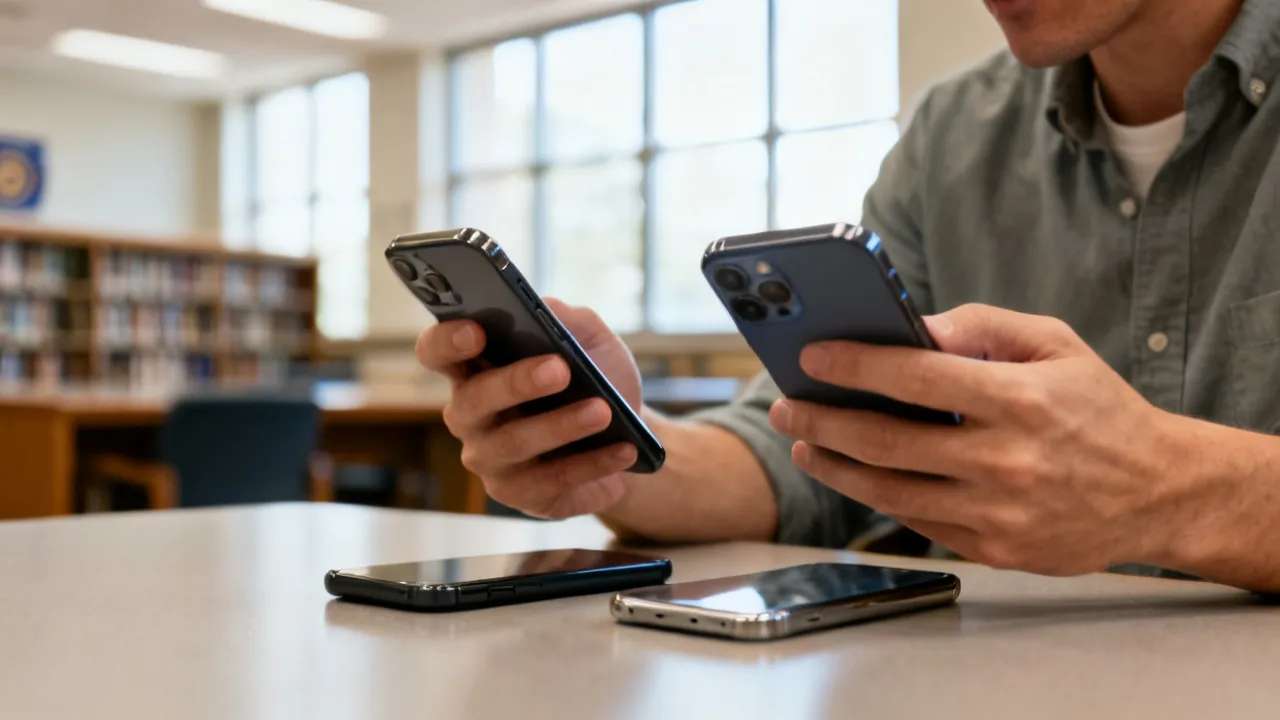
If you need a new phone, your fastest path is to compare government-supported “Lifeline” providers and select the plan that best matches your calling, texting, and data expectations. Programs differ by state, device availability, and optional upgrades, so the smartest approach is to (1) confirm eligibility, (2) choose a provider that offers the service mix you rely on—especially for data—and (3) complete the application correctly with the required documentation.
This article focuses on five well-known government phone program providers—SafeLink Wireless, Assurance Wireless, StandUp Wireless, Access Wireless, and True Wireless—and explains how their application processes generally work. It also clarifies what you typically receive, what you may need to prepare, and what may involve optional costs.
Even if you’ve applied before, keep in mind that phone program rules and plan availability can change. A plan that was offered in your area last year might be different today. That’s why the most effective strategy is to treat this as a “fresh application” each time: verify current steps, read the offered terms on the application screen, and double-check that your documentation matches the eligibility category you select.
Very government phone programs built around Lifeline provide a bundle designed for basic connectivity needs. While exact terms vary by plan and state, you’ll commonly see combinations of voice service, unlimited or near-unlimited texting, and a monthly data allowance (often “limited high-speed” data with the option of paid data boosts). Some plans also offer a device through the program, while others allow bring-your-own-device (BYOD) where supported.
From an industry perspective, the key decision is not just “whether you can get a device,” but whether the plan’s data structure aligns with your daily usage (maps, messaging, streaming, or work apps). Before you apply, take a few minutes to estimate your typical monthly data consumption and your reliance on high-speed connectivity versus slower speeds after an allowance. The difference between “some data” and “enough usable high-speed data” can change whether the phone feels helpful for everyday tasks.
For example, if you mostly use calls and texts, the limiting factor may be minutes or coverage rather than data. If you use navigation apps, email attachments, or video-based communication, high-speed data (and the ability to buy boosts, if offered) can become essential. Many people discover that the “best” plan is the one that prevents data slowdowns at the times they need the phone most—like commuting, job searching, or handling appointments online.
| Provider | Typical services included | Potential additional package costs |
|---|---|---|
| SafeLink Wireless | Phone service (voice, text, and plan data depending on state); options may include a device or BYOD. | Upgrades to premium devices and/or additional data may cost extra depending on the selected plan. |
| Assurance Wireless | Android smartphone options; unlimited talk and text with data allowances (details vary by plan/state). | High-speed data add-ons and some services such as international calling may be optional upgrades. |
| StandUp Wireless | Affordable smartphone or BYOD options; unlimited talk and text plus included data plans (terms vary). | Premium phone upgrades or extra data availability for a fee. |
| Access Wireless | Unlimited voice and text with limited high-speed data; program participation may support additional benefits. | Data boosts and certain device upgrade options may have associated costs. |
| True Wireless | Government-supported phones and service plans; voice and data terms depend on eligibility and program selection. | Optional upgrades to better devices and additional data plans may involve extra charges. |
Official-information sources (as provided):
source: [www.safelinkwireless.com](www.safelinkwireless.com)
source: [www.assurancewireless.com](www.assurancewireless.com)
source: [standupwireless.com](standupwireless.com)
source: [www.accesswireless.com](www.accesswireless.com)
source: [www.gotruewireless.com](www.gotruewireless.com)
Before you choose among these providers, it’s also useful to understand a few practical realities about how Lifeline phone service behaves:
Before you request a new phone, you’ll typically need to qualify under federal assistance criteria tied to Lifeline and, in some cases, ACP-related support. Providers generally ask you to prove eligibility using documents or program participation details.
In practical terms, the “eligibility” part is not something you should treat casually. Many delays happen not because someone is ineligible, but because the paperwork or account details don’t match what the provider expects. If you prepare early—knowing exactly what eligibility category you will select and collecting documents in advance—you can reduce friction.
Also, note that eligibility can be time-sensitive. Some programs require that you maintain coverage or participation. If your underlying assistance program ends, Lifeline benefits may be affected. That doesn’t mean you did something wrong; it just means you’ll likely need to re-verify if your status changes.
Because eligibility categories vary slightly depending on your location and the provider’s current requirements, the safest approach is to choose the category that you can document most clearly. For instance, if you participate in SNAP but also have income below the threshold, you might find it easier to apply using the program participation path—if the provider’s application makes that selection straightforward and you have your documentation ready.
Additionally, verify that you’re applying with the correct household information. Household size affects some eligibility calculations. If you live with others, you may need to confirm whether they are part of your household for purposes of the program. Many applications ask you to confirm household members, and incorrect answers can lead to verification issues.
While each provider’s interface differs, the underlying workflow usually follows a consistent structure. Here’s a practical, step-by-step path you can expect when applying through SafeLink Wireless, Assurance Wireless, StandUp Wireless, Access Wireless, or True Wireless.
In general, treat the application like a checklist. Each step tends to be straightforward if your information is ready. If you’re missing a detail (like an address format, household size, or document type), pause and collect it before submitting. That reduces the risk of rework later.
As a practical tip, plan your application timing. If you need the phone by a certain date (for job interviews, appointments, school enrollment, or travel), submit your request early enough to account for verification time, shipping, and activation. Even if your eligibility is straightforward, shipping and activation steps can add days.
Also, keep track of any reference numbers or confirmation pages. If the provider later requests updates or verification, you’ll want those details available. Storing screenshots or printing confirmation pages (where possible) can make follow-up much easier.
From an industry standpoint, a “new phone” decision is really two decisions: device suitability and connectivity performance. Here’s how to evaluate both without relying on hype.
Another factor that often gets overlooked is the “setup time.” For many people, the phone must be ready for daily use quickly. When you receive a device, you may need to set up email accounts, install necessary apps, transfer contacts (if applicable), and adjust settings. Some devices may come with limited storage or older software. If you anticipate needing certain apps for work or benefits, you should confirm they can be installed and updated on the device model you receive.
All five providers in this article operate under government-supported frameworks, but each has its own onboarding style and device-selection options. Below is an objective, non-exaggerated overview of how they are generally described by the providers themselves.
Because plan details can change, think of the provider overview as a map of what the process feels like, not a guarantee of what you’ll see on every screen. Always follow the prompts on the current application form and confirm any offered features at the point you apply.
SafeLink Wireless commonly supports online applications and provides affordable smartphone options or BYOD choices, depending on eligibility and state. Plans are typically structured around unlimited talk and text plus data allocations that vary by plan and location. Applicants should expect verification requirements and may encounter additional charges only if they choose optional device upgrades or additional data.
In many cases, SafeLink’s application experience is centered on selecting a plan that matches your needs and providing documentation that verifies eligibility. If your household qualifies through program participation (such as certain assistance programs), the application may ask for proof of that participation. If you qualify through income, it may ask for income-related documentation.
If you plan to bring your own phone, be prepared to verify device compatibility. Some applicants discover too late that their phone is not compatible or not unlocked. Addressing that early can save multiple days.
Assurance Wireless is frequently described as offering an Android smartphone option with unlimited talk and text and defined data allowances. The program’s structure often involves meeting federal and state-specific income guidelines or participating in eligible assistance programs. Optional upgrades may include additional high-speed data or services like international calling, depending on what’s available.
Assurance Wireless applications often guide you through selecting device options (when offered) and choosing a plan that includes your needed service levels. Applicants may need to upload documentation and ensure that the information they enter in the application matches what appears on their eligibility documents.
Because Android models and storage options can vary, it may be helpful to think about what you do most: messaging, browsing, job applications, appointment scheduling, maps, or document access. If your needs are data- and app-heavy, prioritize plans that provide enough usable high-speed data for your daily routine or consider whether you can realistically add data boosts if offered.
StandUp Wireless is described as providing a affordable smartphone or BYOD options along with unlimited talk and text and data plans. Like other providers, it generally requires documentation uploads for eligibility verification and may offer optional fees for premium phone upgrades or extra data.
In practice, applicants using StandUp Wireless typically go through a similar process: eligibility confirmation, plan selection, documentation submission, and then activation. If you are switching from an existing provider, you may also need to manage number transfer steps. The exact flow depends on whether you are activating a new device from the program or using BYOD.
If you need the phone quickly, it can help to prepare all information in advance: personal identification details, proof of program participation or income, and any relevant shipping or contact information. Being ready reduces the chance of missing something during a time-sensitive submission window.
Access Wireless is described as including unlimited voice and text, along with limited high-speed data when benefits are used. The program may involve Lifeline and related support categories. In many cases, the application process includes online submission followed by document upload for verification. Optional costs may appear with device upgrades or data boosts.
Access Wireless’s structure typically highlights the balance between unlimited calling/text and data that may have speed limitations after an allowance. For many applicants, this is still sufficient for everyday tasks like messaging, checking maps, using email, and browsing job listings. However, it’s important to understand what “limited high-speed data” means in practice: even if you have unlimited data at slower speeds, some tasks may feel slow after you use the high-speed portion.
If you rely on video calls or frequent navigation, you might want to pick a plan or device approach that helps you manage those uses. Some people also prefer using Wi-Fi where available to reduce data consumption during parts of the day.
True Wireless is described as offering government-supported phones and corresponding voice and data plans, with eligibility based on income thresholds or participation in programs such as Medicaid and SNAP. Applicants typically apply online or obtain assistance through customer support. Additional costs may be associated with optional upgrades to better devices or extra data plans.
For True Wireless applicants, the key steps often include selecting the service offering that works with your eligibility, uploading documentation, and then waiting for approval and activation instructions. If you have a specific phone requirement (for example, certain app compatibility), you may need to confirm whether the device model offered fits your needs.
If you’re bringing your own phone, ensure your device is compatible with the network and can be activated. If you’re receiving a new device, consider planning a time to complete setup after arrival, such as installing essential apps, confirming your email login, and testing calling and messaging.
Although exact thresholds and program rules can vary, government phone participation often follows similar criteria. Use the checklist below as a preparation tool before applying.
To reduce the likelihood of verification problems, consider this simple “accuracy checklist” before submitting:
One more consideration: if you are applying for a phone device through the program, you may need to verify that your chosen shipping address is accurate. If you’ve recently moved, update your address with any relevant organizations first when possible, so your records match.
Not always in every situation. Many Lifeline-supported providers offer a device option, but some applicants may use BYOD if the provider supports it and the device is compatible. Device availability can also depend on inventory and verification outcomes. Even when a device is offered, the exact model may vary based on availability in your area at the time of approval.
If you’re relying on the phone for time-sensitive tasks, consider applying in a way that maximizes your chances of receiving service quickly. That could mean choosing a plan type that the provider can provision fast, or verifying BYOD compatibility early if that option is available to you.
Very plans provide voice service and unlimited or near-unlimited texting, plus an included data allowance that may be limited high-speed data. Some programs also offer optional add-ons for additional high-speed data or other services. In many situations, the core plan focuses on daily essentials: calling, texting, and basic internet use.
When comparing options, focus on the data allowance structure rather than only the word “unlimited.” Some plans offer unlimited total data but limited high-speed data, after which speeds may drop. If you use data heavily, it’s important to understand how fast your phone can realistically load pages and use apps after the high-speed portion is consumed.
Core program service is typically tied to qualification and the selected plan. However, optional upgrades—such as premium phone models, additional data, or certain add-on features—may involve extra charges. Always review the specific terms offered during application or plan selection.
As a general rule, if you see an option to pay for something, treat it as optional unless the application explicitly states it is included in your Lifeline benefit. If there is any uncertainty, check the terms shown on the screen right before submission or activation, because the cost details often appear during selection.
In general, you apply online through the provider’s portal, then submit documentation for eligibility verification when required. Some providers may also guide applicants through standardized verification methods. If anything is unclear, contact the provider’s support channel for instructions.
To make the process smoother, consider preparing the following before you start: your personal details, proof of eligibility (either program participation or income documentation), and any account details you might need for your current phone number (if you plan to switch). If the provider offers device selection, be ready to choose based on your needs and budget for potential upgrades.
Very applicants need proof of program participation (for example, documentation showing enrollment in an eligible assistance program) or proof of income, depending on which eligibility pathway applies to you. Providers may request specific document types, dates, and formats.
Because requirements can differ, it’s useful to gather more than one possible qualifying document if you have it. For example, if you qualify via Medicaid and you also have documentation showing participation in another eligible program, having multiple documents may give you flexibility if one document upload fails or is rejected due to legibility issues.
In many cases, number retention may be possible, but the exact process depends on provider rules, your account status, and whether you are using a new device or BYOD. You should confirm number transfer steps with the provider during activation.
If you want to keep your number, start by understanding whether your current phone is on a prepaid or postpaid plan and whether there are any account conditions that affect porting (such as account status and required information). When activation begins, follow the instructions carefully and ensure that any confirmation required for porting is completed on time.
Coverage depends on the underlying network used by the provider in your area. Even if the plan includes unlimited voice/text, data speed and reliability can vary by location and network conditions. If you rely on data for work, test performance in your very important locations after activation.
It can help to test at least a few places: your home, your usual commute path, and any location where you frequently need reliable connectivity (a library, job site, clinic, school, or store). If you notice consistent problems, it may be a network coverage issue rather than a settings issue, and you may need to consider another provider if that’s an option available to you.
Processing time depends on eligibility verification, documentation quality, and provider workload. Incomplete documentation or mismatched information can cause delays. If a provider requests additional steps, respond promptly.
If you need the phone quickly, avoid waiting until the last minute to submit. Even when eligibility is correct, shipping times, activation timelines, and scheduling for additional verification can all add time. Submitting with clear documents and correct personal details tends to reduce delays.
No. While the eligibility framework is commonly consistent, plan terms, included data structures, and availability of device options can vary by state and by program updates. Always use the provider’s own details during application.
State differences can include the specific phone models offered, the data allowances tied to selected plans, and whether a particular BYOD pathway is supported. This is why it’s important not to assume that a plan you saw in another state will be exactly the same where you live.
1) The above information comes from online resources, and the data is as of October 2023.
2) This website cannot guarantee that applicants will definitely get a government affordable phone. For specific application requirements and how to obtain it, please refer to the official requirements of the provider. This website will not be updated in real time.
source: [www.safelinkwireless.com](www.safelinkwireless.com)
source: [www.assurancewireless.com](www.assurancewireless.com)
source: [standupwireless.com](standupwireless.com)
source: [www.accesswireless.com](www.accesswireless.com)
source: [www.gotruewireless.com](www.gotruewireless.com)
Striking the Perfect Balance: Navigating Premiums and Out-of-Pocket Expenses in Senior Insurance Plans

Explore the Tranquil Bliss of Idyllic Rural Retreats

How to Make Lasting Memories at Disneyland Attractions

4rkojvsx Technology: Industry Insights and Buying Guide

Affordable Phones and Plans for Seniors

Affordable Full Mouth Dental Implants Near You

Unlock the Top Kept Secrets to Finding Your Ideal Dentist for Flawless Dental Implant Results!

Discovering Springdale Estates

Unveiling RS Sul Telecom Services

Affordable Phones and Plans for Seniors
Discover the top deals on new phones and plans tailored for seniors, including discounts on 5G technology and unsold models.

Affordable Cell Phones Without Plans
Discover affordable cell phones for sale without plans, exclusive discounts for seniors, and tailored mobile plan options in your area.

Navigating Government Phone Programs
This guide provides an expert analysis of government-supported phone programs for eligible individuals, offering insights into available providers and their services. Affordable phones are often a necessity for individuals under economic constraints, aiding in communication, job searches, and access to emergency services. The article delves into eligibility criteria, application processes, and compares popular service providers in various regions.

Unlocking the Top Cell Phone Deals
Discover unbeatable cell phone discounts, plans, and offers for seniors and iPhone enthusiasts without contracts.

Navigating Affordable Phone Offers
Discover the essential details about government-assisted phone programs aimed at providing budget-friendly devices to eligible individuals. These programs offer complementary mobile phones and services to qualified beneficiaries, ensuring connectivity at minimal expense. This guide breaks down how to access such benefits and what conditions apply.

How to Apply for a Affordable Phone
This guide provides insights on how to apply for a affordable phone through government-sponsored programs. Understanding how these programs operate and their eligibility requirements is essential. These initiatives aim to support individuals in low-income households or those enrolled in specified government assistance programs by providing basic communication tools.
