This guide explains how to manage Square Payroll 1099 reporting with objective, compliance-focused steps and practical checks. It provides background on what a 1099 represents, how contractor payments are tracked, and what you should document to support accurate year-end forms. It also outlines conditions for reporting, top practices for audit-ready records, and a clear FAQ section.
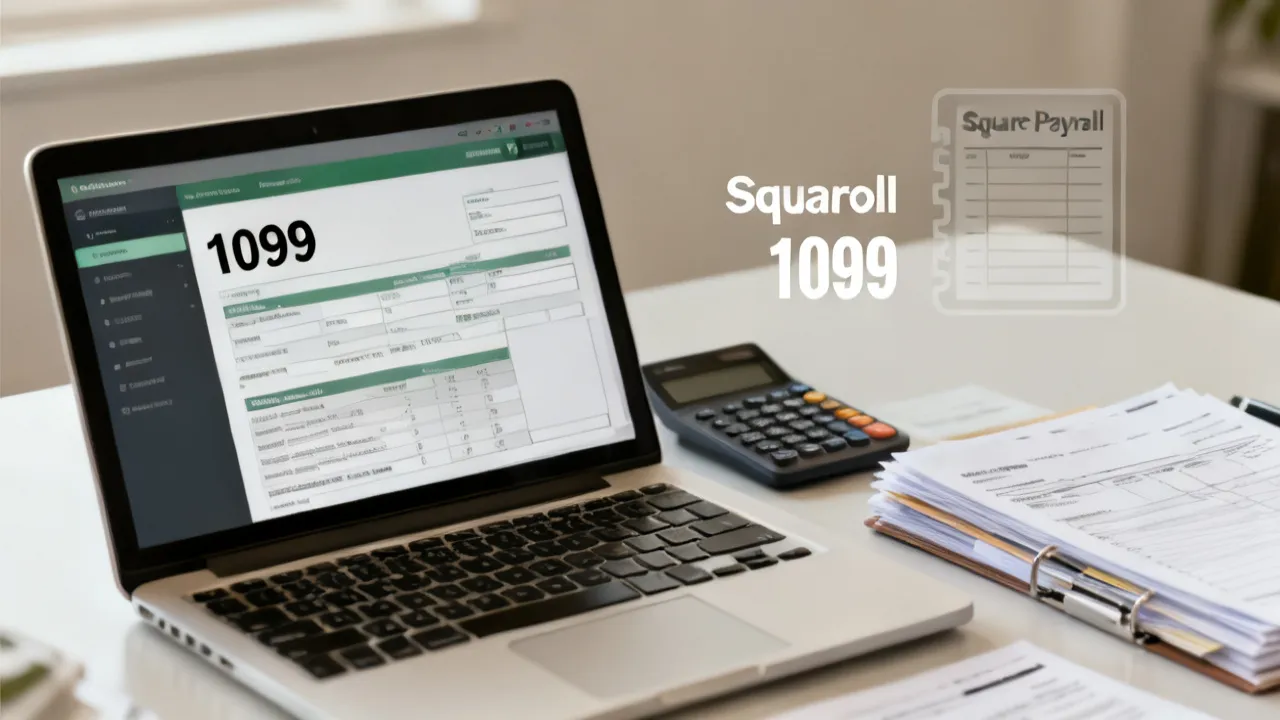
If you use Square Payroll to pay independent contractors, the central task for year-end is to verify that your payment records map correctly to the information required for 1099 reporting. “Square Payroll 1099” typically refers to how contractor earnings you processed through Square Payroll are organized for tax form preparation and how you validate the underlying details (identity, payment amounts, and reporting eligibility) before you generate or finalize any 1099 forms. Treat this as a documentation and data-quality process, not just a software checkbox.
From an industry-expert standpoint, the biggest drivers of reporting accuracy are consistent data capture during the year, careful reconciliation at year-end, and clear contractor identity controls. When these are handled well, form preparation becomes a matter of structured review—less guesswork, fewer corrections, and a smoother compliance posture.
To make the process “audit-ready,” you want to design it so that a reviewer (internal or external) can understand: (1) why a contractor was included, (2) which transactions and amounts make up the reportable totals, (3) what identity information was used at filing time, and (4) what changed between draft and final. That mindset transforms the work from “run the platform report” into “maintain a defensible reporting trail.”
A 1099 information return is designed to report certain types of payments to non-employees, very commonly independent contractors and other service providers, depending on the applicable rules and form type. In practice, “Square Payroll 1099” often describes the workflow where a business uses Square Payroll–related records to support contractor reporting outcomes at year-end.
Important: the exact form type and reporting thresholds depend on the payment category and tax rules that apply to your business and your contractors. In many scenarios, businesses focus on IRS Form 1099-NEC for nonemployee compensation; however, there can be other 1099 variants depending on payment characteristics (for example, certain interest or other reportable payments). Always confirm which reporting obligation applies to your situation.
Because many companies use multiple systems—accounting, invoicing, payroll/contractor payouts, and sometimes separate billing platforms—the phrase “Square Payroll 1099” can also serve as a practical shorthand for: “the dataset derived from Square Payroll that we will use as the basis for tax form reporting.” If you understand it this way, you can design a rigorous mapping between Square Payroll data and the broader financial records that support it.
Very compliance issues arise not from intentional error, but from preventable process gaps. The following are frequently observed failure points when companies rely on payroll platforms or contractor payment systems for 1099-related needs:
As a practical rule, treat the year-end 1099 workflow like a mini audit: verify inputs, reconcile outputs, and preserve evidence of how figures were determined. “Audit-ready” doesn’t mean you create a massive binder—it means you can answer the questions an auditor or tax administrator would ask, quickly and consistently.
To illustrate what “failure points” look like in real life: imagine a contractor who started under one legal name, updated their information mid-year, and then received a payout after the update. If your workflow relies on the platform field at a single point in time (instead of capturing change history), you might file under the wrong name—even if the amount is correct. Or consider a scenario where the contract includes deposits and later adjustments; if you report gross payouts without aligning to the method your accounting uses to treat refunds/credits, your reportable totals could be overstated.
Even when a platform helps compile information, a business remains responsible for accurate reporting. From an operational perspective, you want a clear chain from “who was paid” to “what was paid” to “how it is reported.”
Focus on these data pillars:
To strengthen audit-readiness, expand these pillars into “verifiable fields” and “supporting sources.” For example:
When you can trace each reported value back to a business record, corrections become manageable instead of chaotic.
A robust approach usually includes four phases: setup, ongoing controls, year-end reconciliation, and final review. The goal is not to rely on one automated step but to create redundancy where it matters very (identity matching and amounts).
It also helps to define roles and ownership boundaries early. For example, one team might own contractor onboarding and W-9 collection; another might own payout runs; another might own accounting cutoffs and reconciliation. If those lines are unclear, the year-end review becomes a round-robin debate about whose data is “correct.”
In the setup phase, the emphasis is on completeness and correctness at the time contractors are onboarded or at the moment tax details are captured/updated. For many businesses, this is where you can prevent 90% of later issues by enforcing:
In well-run operations, the contractor onboarding process and the contractor tax record process are linked, so the system that powers year-end reporting is never “starved” of the necessary fields.
Here are practical setup practices that help teams become audit-ready:
One more audit-ready detail: document a cutoff. For example, you might set a date by which contractor tax information changes must be finalized to be included in the “draft 1099 dataset.” Later changes might still be processed, but they should follow a controlled exception path (so you can explain why the record changed after draft).
During the year, companies often overlook incremental changes—especially corrections after a dispute, partial refunds, or contractor status changes. A good control pattern is to align operational finance practices with payroll/contractor payment records:
This is where the “Square Payroll 1099” concept becomes more than reporting output: it becomes data governance.
To move from “we check at year-end” to “we prevent issues,” build a calendar of routine checks that are simple but consistent:
Additionally, you should consider contractor status transitions: if a contractor stops mid-year, you still must report potentially eligible payments already made. But your internal controls should ensure the contractor record remains accessible and not overwritten or deactivated in a way that would hinder later review.
Another subtle drift risk: contractors sometimes submit a W-9 with a mailing address that differs from operational records. If your team updates operational addresses for shipping or communication but not the “tax reporting address” fields, you can end up with conflicting address values. Establish “which address drives 1099 reporting” and keep it clear.
Reconciliation is the step where many organizations create a paper trail that both supports internal review and improves confidence. A practical reconciliation method includes:
Because year-end totals can be influenced by refunds or payment reversals, reconciliation should not be treated as a formality. It’s the very defensible way to substantiate your reporting figures.
To make reconciliation “audit-ready,” consider using a structured worksheet (even if it’s a spreadsheet) with a repeatable template. That template should include:
Also pay attention to what you’re reconciling. Many companies reconcile only totals, but not components. If your year-end audit readiness is important, you should be able to explain not only “the total matched,” but also “the total is consistent with the transaction set.” If the totals don’t match, you need to identify which transactions drove the variance and how you corrected for them.
Consider creating a “transaction mapping” view: for each contractor, list the payout transactions included and excluded, with dates and references. This is especially helpful if your contractor payments can include reversals or partial returns.
Once the platform compiles 1099-related data, the final review should concentrate on two categories: identity and amounts. Identity issues frequently trigger delays or corrections. Amount issues often trigger questions from internal stakeholders or from the IRS if reported figures appear inconsistent with supporting documentation.
At minimum, your final review should confirm:
As an industry top practice, document who performed the review and when, then archive the reconciliation workpapers.
To further improve quality, you can add a “two-pass” approach:
Outlier review is not about judgmental bias—it’s about efficiency. It helps your team focus on the records most likely to require investigation.
The table below summarizes typical conditions/requirements and what to verify. This is a supplement to your main year-end process—not a replacement for professional judgment or applicable IRS guidance.
| Category | What to check | Evidence to retain | Common issue if missed |
|---|---|---|---|
| Contractor identity | Legal name and TIN fields are complete and consistent | Contractor tax documentation and record change history | Corrections due to name/TIN mismatch |
| Payment eligibility | Payments fall into the reporting category you’re preparing | Payment categorization rules and ledger extracts | Incorrect form type or misclassified payments |
| Amount accuracy | Reportable totals reconcile to your internal payment ledger | Reconciliation worksheet and adjustment notes | Totals that don’t match due to timing/credits |
| Time period | Included payments are within the correct tax year | Cutoff methodology notes | Over- or under-reporting by year |
| Workflow ownership | Defined reviewer and sign-off process | Approval records | Inconsistent review or missed exceptions |
For audit readiness, also keep a “process evidence” folder. It often includes: your reconciliation worksheets, the extracted platform reports (or screenshots/PDF exports), your mapping logic documentation, and a record of review sign-offs. If your organization is large, this is where you ensure version control—so you can prove you reviewed the final numbers used for filing.
To keep your approach grounded in recognized requirements, align your workflow to official IRS materials and authoritative guidance used by tax professionals. For 1099 reporting and nonemployee compensation concepts, primary references include:
Because the details depend on your facts, you should read the relevant IRS instructions for the exact form type you’re preparing and confirm any year-specific procedural updates on the IRS website.
In addition to IRS instructions, many businesses find it helpful to maintain an internal “interpretation memo” that captures how they applied the rules to their own setup. For example, if your business uses a hybrid model—some contractors are paid through Square Payroll and some through another channel—your interpretation memo can document how you define the population of “contractors paid during the tax year,” and how you handle edge cases like partial refunds or contracted milestones.
That memo can save time when you’re questioned internally or externally. It also helps if staff turnover occurs: the next reviewer can understand your logic without needing tribal knowledge.
Below is a pragmatic, step-by-step workflow you can adapt for your internal controls. This assumes you use Square Payroll to process contractor payments and that you are preparing for 1099 reporting outcomes.
The FAQs below reflect frequent operational questions from finance and operations teams. They are written to be objective and to encourage verification against official IRS instructions for your exact circumstances.
In practice, it refers to how contractor payment records in a Square Payroll workflow are used to prepare data needed for 1099-style information reporting. The key is to ensure the underlying identity and amounts are correct and reconcilable to your internal ledger.
Yes. Automation reduces manual effort, but it does not remove your responsibility for accuracy. A year-end review should confirm contractor identity fields and reconcile totals to your records. Even if the platform “looks right,” audit-ready organizations confirm the mapping logic and variance explanations.
Common causes include outdated contractor tax details, differences between how a name is entered in your system and how it appears with the IRS, or incomplete TIN information. Keeping contractor data updated and consistent helps mitigate mismatch risk. It also helps to standardize your internal process: ensure the reporting name field matches the tax document, not the contractor’s informal display name used in operational communication.
You should align your reporting totals to your internal understanding of what is reportable for the applicable form type and tax rules. Operationally, track adjustments as part of reconciliation so the final reported totals are supported by documentation. The audit-ready approach is to maintain an adjustment log that links refunds/reversals to the contractor’s reportable amount.
Many teams start several months before filing/furnishing deadlines to ensure contractor identity information is complete, reconcile payment categories, and resolve discrepancies while there is still time for corrections. The earlier you start, the more you can turn “urgent fixes” into “planned follow-up,” which reduces errors.
Retain contractor tax records, reconciliation workpapers, and internal approvals or review notes. If questions arise later, these materials are crucial to substantiate your reported figures. For audit readiness, keep evidence of the data extracts used (platform exports), your reconciliation worksheet versions, and sign-off timestamps.
Yes. Reporting obligations depend on the form type, payment nature, and applicable rules. Your responsibilities are determined by IRS instructions and your facts, not solely by how payments are processed in a payroll platform. Therefore, if your Square Payroll setup includes multiple pay types or categories, you must map them to the intended reporting category with consistent rules.
Use the IRS instructions for the specific 1099 form type you’re preparing and confirm procedures relevant to your filing method. For more complex cases, consult a qualified tax professional. Also consider maintaining an internal summary of your applied rule interpretations so your internal teams use the same assumptions year over year.
As organizations mature in their tax compliance operations, they often implement control enhancements that make the “Square Payroll 1099” cycle more predictable. Three areas tend to produce durable improvements:
Beyond these, there are additional “expert-level” controls that can meaningfully reduce risk:
Audit-ready doesn’t mean your organization needs to be a perfect bureaucracy. It means you have practical answers to common “prove it” questions. Think about the most likely questions someone would ask when they see a 1099 record:
To make these questions easy to answer, you can implement a standardized folder and record structure. For example, use a folder per tax year with subfolders:
In smaller businesses, a simple spreadsheet plus a folder of contractor PDFs can be enough. The key is not the size of your system—it’s the ability to demonstrate that your process is deliberate, consistent, and traceable.
One of the biggest drivers of 1099 discrepancies is not identity—it’s the interpretation of “which payments belong in which tax year.” Even when you follow platform guidance, your internal reconciliation method must use consistent date logic.
Here are common date-related confusion areas to address in your reconciliation methodology notes:
Even if the final number is correct, inconsistent logic leads to confusion and rework. The audit-ready approach is to document your logic once, apply it consistently, and retain evidence showing that you applied it to each contractor.
Name/TIN mismatches are frustrating because they can be hard to detect until after you file or until you’re forced to correct. You can’t always eliminate mismatch risk entirely, but you can reduce it by controlling how identity data is captured and maintained.
Consider implementing these identity controls:
Also remember that identity errors are often “data integration errors” rather than “tax errors.” For example, if your onboarding form collects “legal name” but your operational system stores it in a different field that is not used for 1099 reporting, your reporting dataset might pull a stale or incorrect field. Clarify which fields drive reporting and keep that mapping stable.
Below are representative scenarios you can use to pressure-test your workflow. They are not legal advice; they illustrate how reconciliation and identity controls catch issues.
A contractor updates their legal name in Square Payroll in November, after your first reconciliation draft but before filing. If your process is not audit-ready, the reconciliation worksheet may still reflect the earlier name, but the final form uses the new name. That discrepancy becomes confusing if someone asks why a contractor’s name changed.
Prevention: implement a data freeze cutoff with an exception workflow. Capture the timestamp and who approved the change. Update reconciliation only through controlled steps and document the reason for changes.
A contractor was paid in December. In January, a refund is processed. If you reconcile only at year-end using platform extracts that still show gross payouts, your 1099 totals might be overstated unless your process properly accounts for refunds. Even if the platform ultimately corrects the dataset, your internal reconciliation might not reflect the final net amount.
Prevention: reconcile using a defined date logic for inclusion and ensure your reconciliation method includes refunds based on your chosen approach. Document the methodology notes and keep adjustment logs.
Your system categorizes payments under multiple types (for example, different service lines). If the categorization mapping used for 1099 eligibility is inconsistent (perhaps due to a new service code introduced mid-year), certain contractor payments might be excluded or incorrectly included.
Prevention: maintain consistent categorization rules and perform mid-year checks. Use a test extraction early in the year to validate that your categorization mapping aligns with expected reportable totals.
A contractor receives payouts in separate runs, with occasional partial reversals. If your totals rely on aggregated platform reports without reconciling to transaction-level data, you might miss a specific reversal or include an amount twice.
Prevention: ensure transaction-level traceability. Your reconciliation worksheet should support the total via components or via a transparent mapping logic.
Handling Square Payroll 1099 reporting successfully is primarily about reliable data governance: accurate contractor identity, correct payment classification, and defensible reconciliation of amounts. When you build an audit-ready workflow—setup controls, ongoing data hygiene, year-end reconciliation, and final quality checks—you reduce avoidable corrections and strengthen confidence in your 1099 information reporting outcomes.
If you share your business context (for example, which contractor payment categories you process and whether you’re targeting Form 1099-NEC specifically), I can help you tailor the review checklist and reconciliation approach to match your situation.
Striking the Perfect Balance: Navigating Premiums and Out-of-Pocket Expenses in Senior Insurance Plans

Explore the Tranquil Bliss of Idyllic Rural Retreats

How to Make Lasting Memories at Disneyland Attractions

4rkojvsx Technology: Industry Insights and Buying Guide

Affordable Phones and Plans for Seniors

Affordable Full Mouth Dental Implants Near You

Unlock the Top Kept Secrets to Finding Your Ideal Dentist for Flawless Dental Implant Results!

Discovering Springdale Estates

Unveiling RS Sul Telecom Services


Understanding 60817674500: Pricing, Supplier Signals, Quality Steps
This guide explains how to interpret the numeric keyword 60817674500 in procurement contexts, how pricing is commonly structured, and what supplier information should be verified before ordering. Objectively, it discusses what such identifiers often represent, why supplier traceability matters, and which due-diligence steps reduce delivery and compliance risk.

822478979788877878878897979797 Buyer’s Guide
This guide explains how to evaluate 822478979788877878878878897979797 procurement decisions with an objective lens. It outlines what the code typically signals in supply-chain workflows, how to verify supplier readiness, and which due-diligence steps reduce risk. You’ll also find a comparison framework, requirements, and practical FAQs for informed purchasing.

PrismaJOY Buying Guide: Requirements, Suppliers, and Pricing
PrismaJOY is a structured solution-focused product guide aimed at helping buyers evaluate sourcing, pricing factors, and implementation readiness. Objectively, PrismaJOY is discussed in terms of how “JOY” features map to selection criteria, compatibility, and supplier support in day-to-day procurement and deployment workflows, emphasizing due diligence and documented requirements.

PrismaJOY Guide: Pricing, Suppliers, and Buying Conditions
This guide explains how to evaluate PrismaJOY for responsible purchasing decisions, focusing on pricing structure, supplier credibility, and practical requirements. Objectively, PrismaJOY is presented as a brand name associated with consumer products, while “supplier” refers to the distribution chain that impacts delivery, warranty handling, and service responsiveness.

How Multishop Streamlines Modern Multi-Vendor Selling
This guide explains how Multishop supports multi-vendor commerce by connecting catalogs, orders, and supplier workflows in a single operational view. In objective background terms, multi-vendor platforms exist to reduce duplication of product and fulfillment management, while improving governance through standardized pricing rules, inventory updates, and supplier controls.

Understanding Gordo9498416253t and Related Product Options
This guide explains how to evaluate Gordo9498416253t-type listings and nearby supply options, focusing on how buyers can verify pricing, supplier credibility, and compatibility before purchase. Objectively, the keyword “Gordo9498416253t” functions as a listing identifier-like term, while “related product options” reflects the broader need to compare sellers, documentation, and performance claims using reliable sourcing and practical checks.
